
How to Play Shadow Fight 2 on PC | Complete Setup Guide
When I first played Shadow Fight 2 on my phone, I was hooked — the smooth moves, epic soundtracks, and powerful fights made it hard to put down. But I often wished I could enjoy it on a bigger screen, with better control and performance. That’s when I discovered how easy it is to play Shadow Fight 2 on PC — and honestly, it completely changed the experience.
If you’re tired of small-screen controls or limited battery life, this guide is exactly what you need. I’ll walk you through how to play Shadow Fight 2 on PC, the system requirements, download methods (even without Bluestacks), and the benefits of playing on a computer.
What Is Shadow Fight 2?
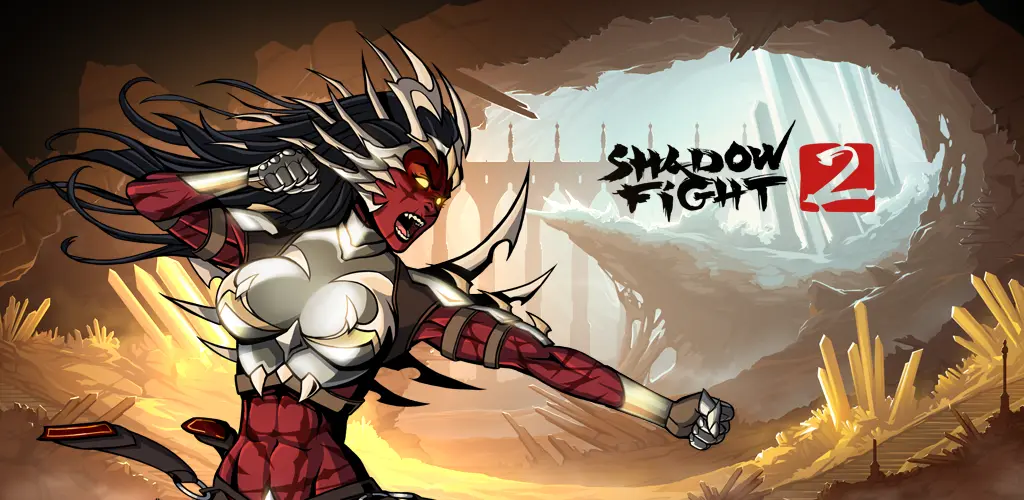
Shadow Fight 2 is a legendary 2D fighting game developed by Nekki. It blends martial arts combat with RPG-style character progression. You play as a shadow warrior who travels through different worlds, battling fierce enemies, unlocking weapons, and mastering deadly techniques.
When I played it on mobile, the fluid animation and weapon variety blew me away. But playing it on a larger PC screen made me appreciate the game’s artistry even more — every kick, slash, and special move feels cinematic.
Why Play Shadow Fight 2 on PC?
I love mobile gaming, but let’s be honest — long sessions on small screens get tiring. Playing Shadow Fight 2 on PC offers several clear advantages:
- 🎮 Better Controls: Using a keyboard or controller makes combos easier and more precise.
- 🖥️ Bigger Display: Fights look sharper and more detailed on a PC monitor.
- ⚡ No Battery Drain: You can play for hours without overheating your phone.
- 💾 More Storage: PC gaming means more space for game data and smooth performance.
- 🕹️ Enhanced Performance: PCs handle higher frame rates, meaning faster, smoother action.
That’s why once I switched to PC, I never looked back.
If you’re running Shadow Fight 2 on a low-end PC or emulator, using an older version of the game can help reduce lag and improve overall performance.
🖥️ Step-by-Step: Download Shadow Fight 2 on PC using LDPlayer
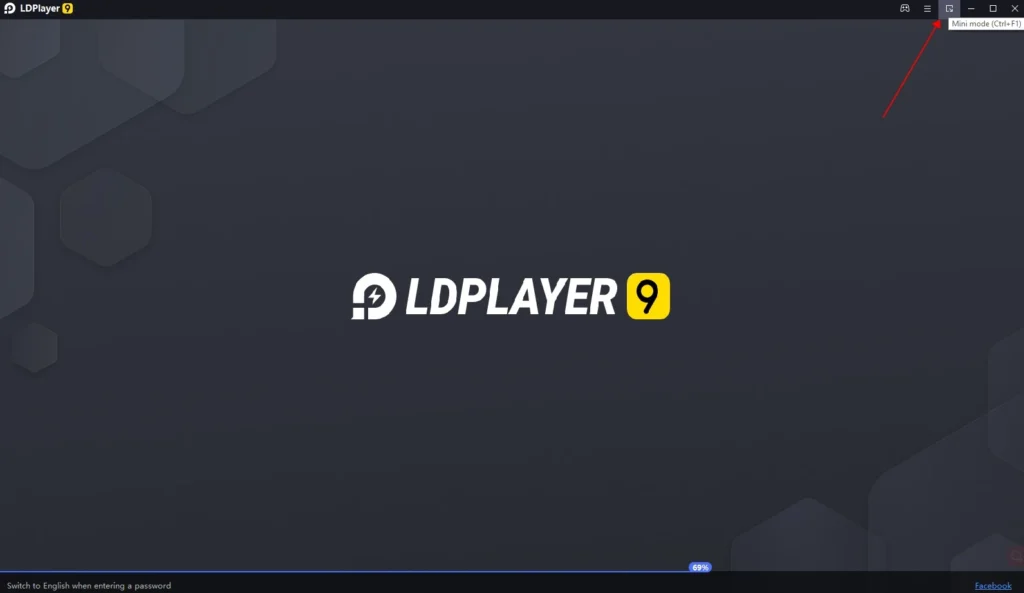
1️⃣ Download & Install LDPlayer
- Go to ldplayer.net
- Download the latest version for Windows
- Install it like normal software
💡 Tip: During installation, close heavy apps for better performance.
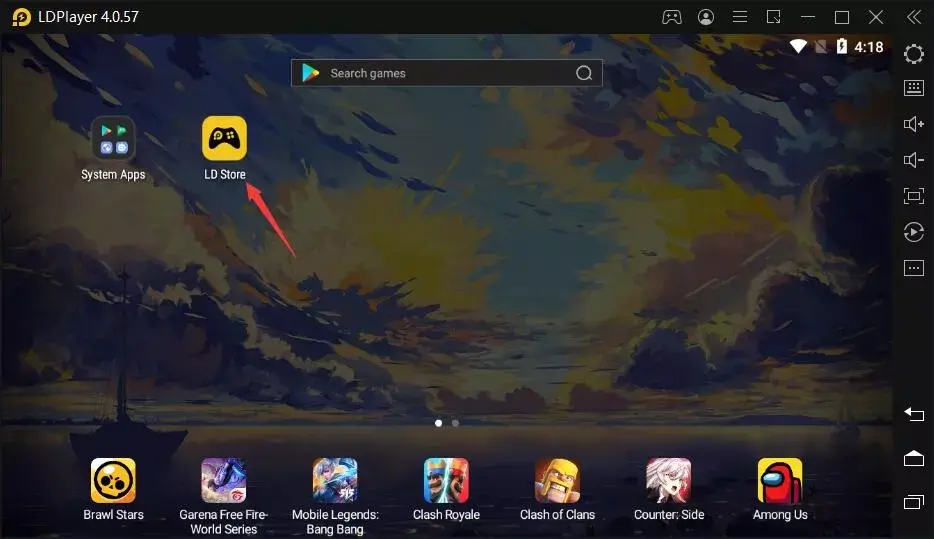
2️⃣ Open LDPlayer & Sign in
- Launch LDPlayer
- Open Google Play Store
- Sign in with your Gmail account
(Exactly like an Android phone 📱)
3️⃣ Search Shadow Fight 2
- In Play Store, type Shadow Fight 2
- Click Install
- Wait for download to finish
4️⃣ Play the Game 🎉
- Go back to LDPlayer home screen
- Click Shadow Fight 2 icon
- Game starts — enjoy keyboard + mouse control 🥊
Using LDPlayer, the same setup can also be followed to play Shadow Fight 3 and Shadow Fight 4 on PC, as the installation steps remain almost the same.
💻 How to Play Shadow Fight 2 on PC using Emulator?
You can easily play Shadow Fight 2 on PC through multiple methods. The most common way is by using emulators, but there are also alternatives if you want to play without them.
Here’s how I personally play it on my PC:
Step 1: Download an Android Emulator
Download a trusted emulator like BlueStacks, LDPlayer, or Nox Player. These tools create a virtual Android environment on your PC.
Step 2: Sign In to Google Play
After installing the emulator, sign in with your Google account to access the Play Store.
Step 3: Search for “Shadow Fight 2”
Go to the search bar and type Shadow Fight 2. Click “Install,” just like you would on your phone.
Step 4: Launch the Game
Once installed, open it from the emulator’s home screen — you’ll instantly see the difference in quality and control.
Step 5: Customize Controls
Most emulators let you map your keyboard keys for movement, punches, and kicks. Customize these for smoother gameplay.
⚡ How to Download Shadow Fight 2 Without Emulator (Bluestacks Alternative)
If your PC is older or you don’t want to use an emulator, you can still download Shadow Fight 2 for PC free without Bluestacks.
Here’s how:
- Visit the official website of Nekki (the developer).
- Download the Windows version (if available) or get it via Steam.
- Some third-party platforms also offer Shadow Fight 2 for PC free download without Bluestacks — just ensure you’re downloading from a trusted and secure source.
- Once downloaded, run the setup and install the game.
This method is perfect for players who don’t want to deal with emulator performance or storage issues.
Shadow Fight 2 for PC Free Download Without Bluestacks
Many players don’t want to deal with heavy emulators, and I totally get it. Bluestacks, while powerful, can be resource-hungry. If you’re looking for Shadow Fight 2 for PC free download without Bluestacks, you can try lighter alternatives:
- MEmu Play – Lighter and faster than Bluestacks.
- NoxPlayer – Balanced performance and supports gamepads.
- GameLoop – Built for action games, runs Shadow Fight 2 smoothly.
Alternatively, some versions of Shadow Fight 2 have standalone PC builds available for free through community sites or official updates. Always verify the source before installing.
Shadow Fight 2 PC System Requirements
If you’re planning to play on PC, make sure your system meets at least the minimum specifications. Here’s a quick overview:
| Component | Minimum Requirements | Recommended Requirements |
|---|---|---|
| OS | Windows 7/8/10 (64-bit) | Windows 10/11 (64-bit) |
| Processor | Intel Core i3 or AMD equivalent | Intel Core i5 or higher |
| RAM | 2 GB | 4 GB or more |
| Graphics | Intel HD Graphics | Dedicated GPU (NVIDIA/AMD) |
| Storage | 500 MB available space | 1 GB free space |
| Internet | Optional for offline play | Recommended for updates |
Even on basic hardware, Shadow Fight 2 runs smoothly since it’s lightweight. But the smoother your system, the better your gameplay experience.
🕹️ My Experience Playing Shadow Fight 2 on PC
After switching to PC, I instantly noticed how different the gameplay felt. The controls were much sharper, fights ran smoothly even on higher difficulty levels, and I could finally enjoy long tournaments without my phone heating up.
The visuals looked stunning — every shadow, punch, and magical attack felt more alive. I also loved being able to map my favorite moves on the keyboard for faster combos.
If you’re serious about mastering this game, playing it on PC truly gives you an edge.
How to Download Shadow Fight 2 for PC – Quick Recap
If you’re still unsure which method to use, here’s a quick summary:
| Method | Tool Needed | Pros | Cons |
|---|---|---|---|
| Bluestacks / LDPlayer | Android Emulator | Easy setup, Play Store access | Requires powerful PC |
| Without Emulator (PC version) | Direct EXE setup | Lightweight, no lag | Limited availability |
| Alternate Emulators (MEmu, Nox) | Third-party software | Good balance of speed and quality | Manual control setup |
For most players, Bluestacks or LDPlayer are the simplest ways to get started. But if you want less load on your system, try MEmu or the official PC build.
🧠 Benefits of Playing Shadow Fight 2 on PC
Here’s what makes the PC version stand out:
- Larger Display: Perfect for following every fight detail.
- Better Controls: Use keyboard or controller for precision.
- No Battery Issues: Unlimited playtime.
- Improved Performance: No lag or overheating.
- Access to Mods: Easier to install and test modded versions.
Once you try it, you’ll rarely go back to mobile again.
Tips for the Best Shadow Fight 2 PC Experience
Here’s what helped me get smoother performance and better visuals:
- Use Full-Screen Mode for immersive gameplay.
- Adjust Graphics Settings in the emulator for higher FPS.
- Connect a Gamepad for console-like control.
- Save Progress to Cloud if using a Google account.
- Keep the Emulator Updated for better stability.
These tweaks make the experience closer to a native PC fighting game.
🔄 Shadow Fight 2 for PC (Official vs Modded Version)
| Feature | Official Version | Modded Version (Unofficial) |
|---|---|---|
| Gameplay | Balanced & authentic | Same mechanics but with tweaks |
| Resources | Limited gems/coins | Unlimited gems & coins |
| Levels | Must unlock manually | Unlocked from start |
| Ads | Occasional | Usually ad-free |
| Security | 100% safe | Risky if downloaded from unknown sites |
⚠️ Note: I always recommend using the official version for security and fair play. Mods can be fun, but download them only from trusted, verified platforms.
|FAQs|
Conclusion
Absolutely. If you love fighting games that combine skill, timing, and style, you’ll love Shadow Fight 2 for PC even more. It gives you the same thrill as mobile but with smoother gameplay, no interruptions, and endless energy.
I’ve been hooked ever since I switched to PC. Whether you use Bluestacks, LDPlayer, or direct download, it’s worth the effort — because Shadow Fight 2 truly shines on the big screen.
Don’t limit your skills to mobile — experience Shadow Fight 2 for PC today.
Download it from the official site or set it up through an emulator, and take your shadow warrior to new heights. Fight smarter, play bigger, and enjoy every battle without limits.


